
Mood boards
How to Make a Mood Board on Your iPhone

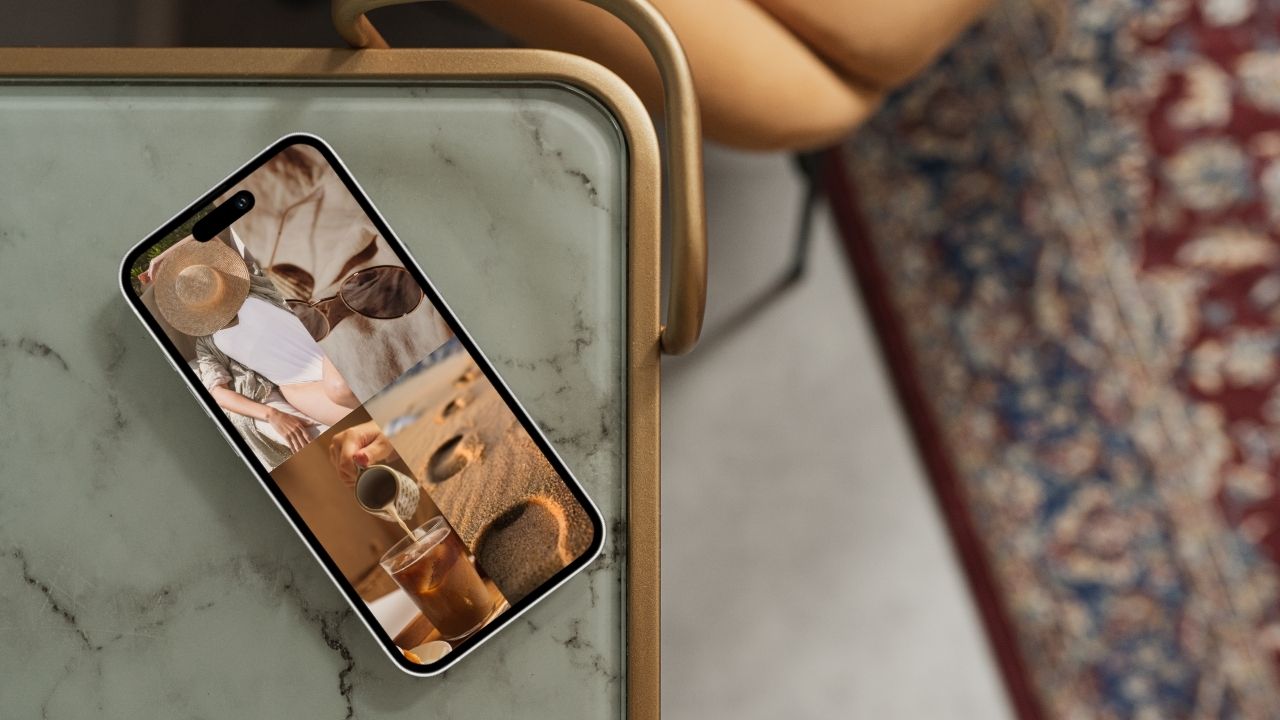
A mood board is the fastest way to turn a vague feeling — a vibe, a season, a dream — into something you can actually see. And you don't need Photoshop or a design degree to make one. Everything you need is already on your iPhone. Here's exactly how to make a mood board on your iPhone for free in about ten minutes, using Aethel — plus what a mood board actually is, why it's worth doing, and when it helps most.
What is a mood board?
A mood board is a curated collage of images, colours, textures, and words that captures a single aesthetic, feeling, or idea at a glance. Interior designers, stylists, and brands have used them for decades to lock in a direction before committing to it. A digital mood board does the same thing on your phone: instead of pinning cut-outs to cork, you arrange images into a grid you can edit any time, carry everywhere, and even set as your wallpaper. On iPhone, your inspiration is always a tap away — and always evolving.
Why make a mood board?
A mood board isn't just pretty — it does real work. Here's what you get out of making one.
You see the idea before you commit
A mood board turns a vague feeling into something concrete, so you can tell whether an aesthetic actually works before you spend money, time, or energy on it.
Better decisions, less second-guessing
When every colour, texture, and reference lives in one place, choices about your home, wardrobe, or brand suddenly get obvious.
A shared visual language
Instead of describing 'cosy but modern', you show it. A mood board is the fastest way to brief a designer, photographer, or collaborator.
Motivation you can see
Kept on your home screen or lock screen, a mood board becomes a daily nudge toward the life or project you're building.
It quiets the overwhelm
Fifty open Pinterest tabs become one calm, curated board you can actually act on. Clarity, not chaos.
It's yours, and it travels
Unlike a paper board, a digital mood board lives in your pocket — update it any time, anywhere the inspiration strikes.
When to make a mood board
Redecorating a room
Collect colours, textures, and furniture ideas before a single thing gets ordered.
Planning a trip
Curate the aesthetic of your travels — from outfits to hotel rooms to golden-hour spots.
Defining a brand
Build a visual language for your business before briefing a designer or writing a word.
A wedding or event
From florals to table settings, keep every detail in one beautiful, shareable board.
A seasonal wardrobe
Map out your look for the season ahead so getting dressed feels effortless.
Manifesting a goal
Put the life you're building somewhere you'll see it every day. Visual intention is where it starts.
Mood board ideas & examples
Not sure where to start? Here are six aesthetics to spark your first board — copy one, or blend a few.
Coastal calm
Soft blues, sea foam, linen, and open horizons for a serene, breezy feel.
Warm minimalism
Beige, oak, and cream with lots of negative space and one sculptural object.
Old-money autumn
Tweed, leather, deep greens, and library light for a quiet, timeless mood.
Studio bright
Bold primaries, clean type, and playful shapes for a creative, energetic board.
Golden-hour travel
Sun-washed streets, terracotta, and warm tones to plan the vibe of a trip.
Soft romance
Blush pinks, florals, silk, and candlelight for weddings and date-night dreaming.
What you'll need
- An iPhone running iOS 18 or later
- The free Aethel app from the App Store
- A few images you love — from your camera roll, or found inside the app
- About ten minutes
Step by step
- 01
Download Aethel from the App Store
Aethel is a mood board app built specifically for iPhone. Download it free from the App Store and open it — there's no account or sign-up required to start your first board.

- 02
Start a new board and pick a layout
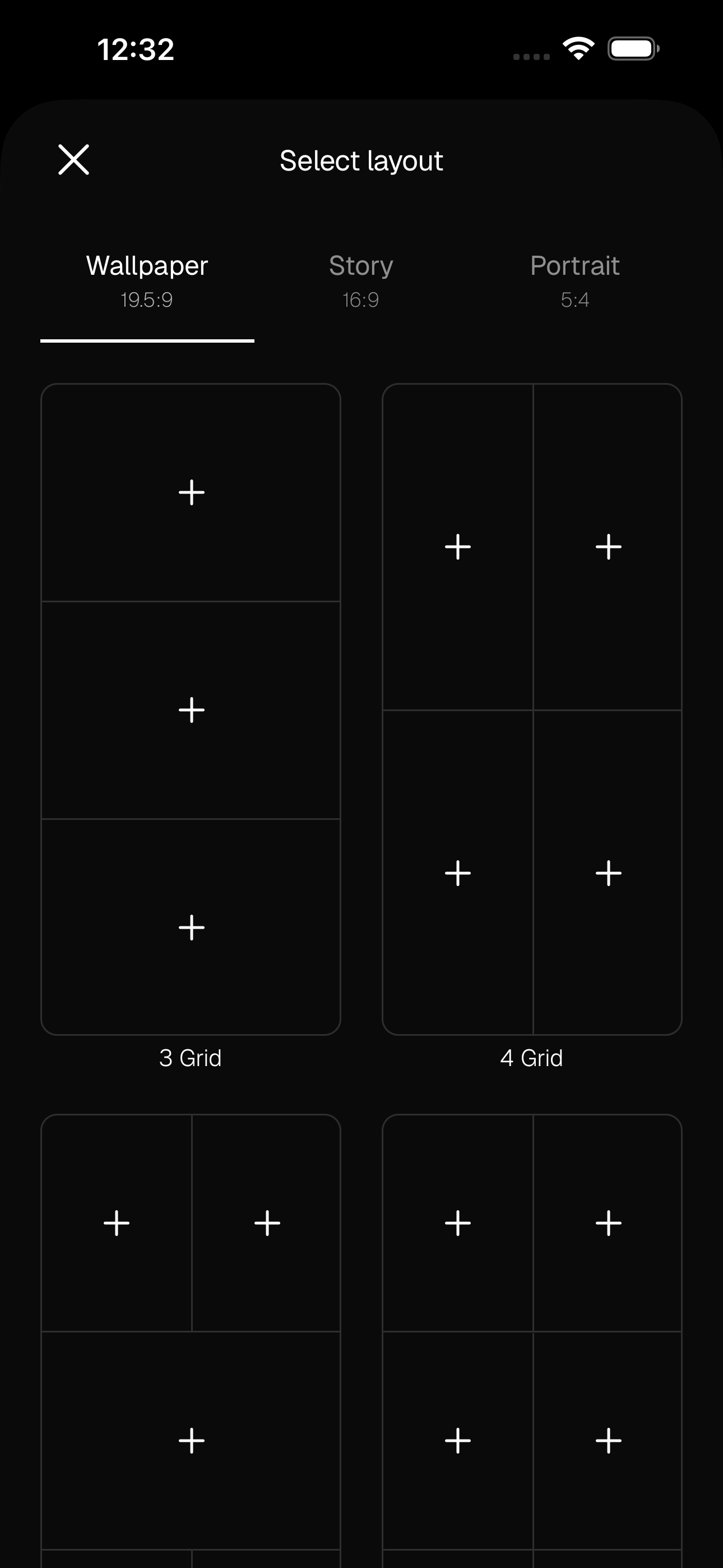
Create a new board, then choose a format — Wallpaper (19.5:9), Story (16:9), or Portrait (5:4) — and a grid. The smart grids keep everything aligned automatically, so your board looks intentional from the very first image.
- 03
Or start from a ready-made template
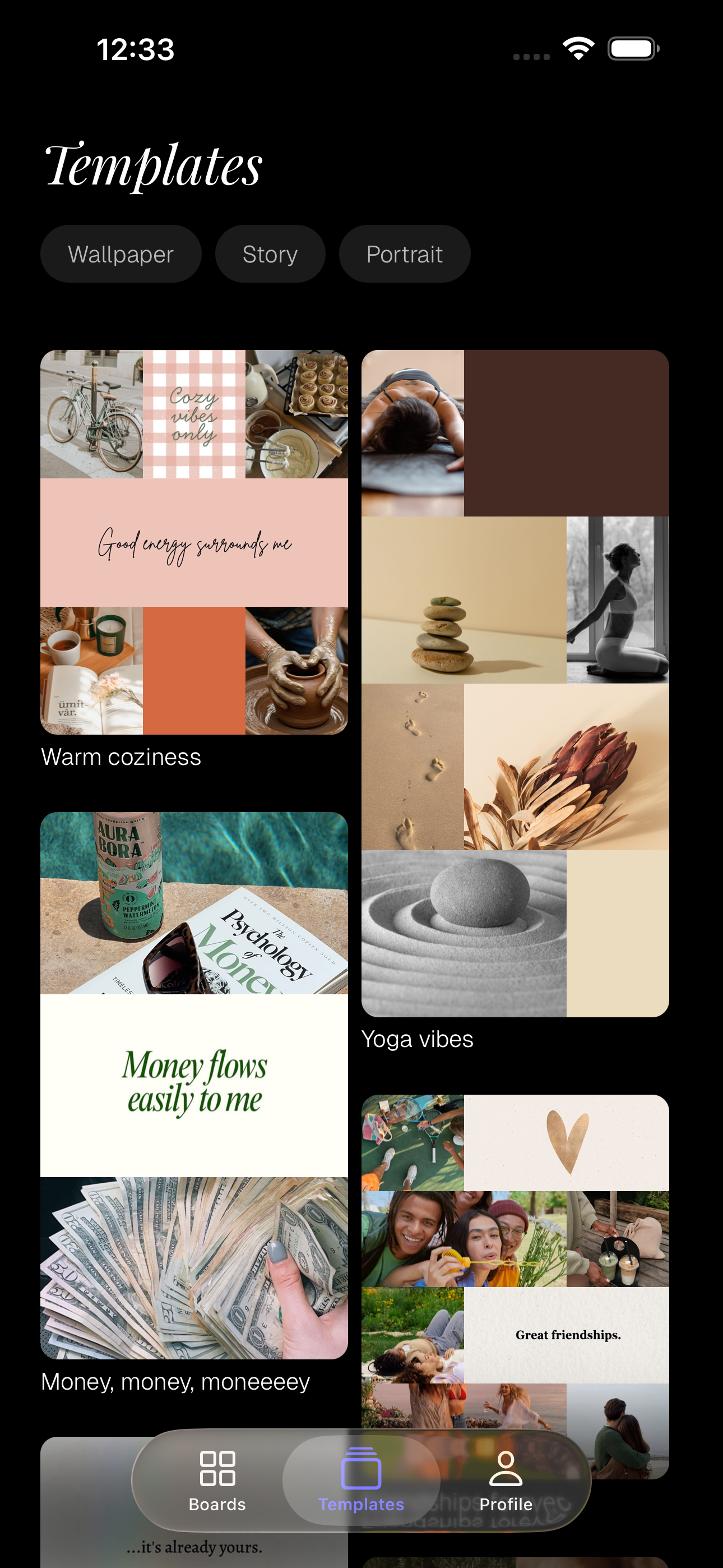
Don't want a blank canvas? Tap Templates and pick a ready-made board — like 'Warm coziness' or 'Yoga vibes' — with a matched colour palette and image suggestions built in. Swap in your own photos and it's yours.
- 04
Add and edit your images
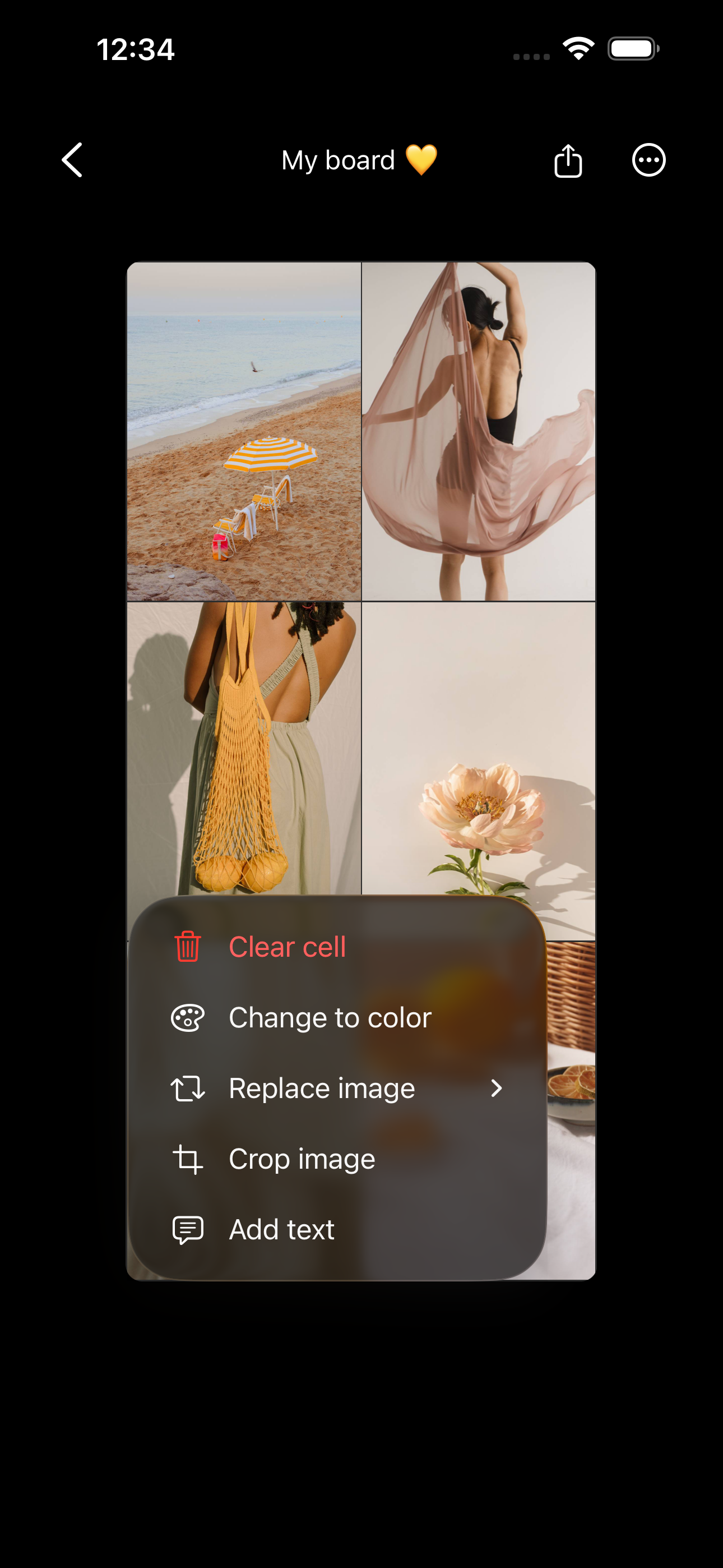
Tap a cell to add a photo from your camera roll, bring in your own saved Pinterest pins, or search millions of curated Unsplash images. Tap any filled cell to edit it — choose 'Change to color' for a solid accent block, or 'Add text' to write a word or affirmation in the font of your choice. To rearrange, press and hold a filled cell and drag it: drop it on another image to swap the two, or on an empty cell to move it there.
- 05
Save it and set it as your wallpaper
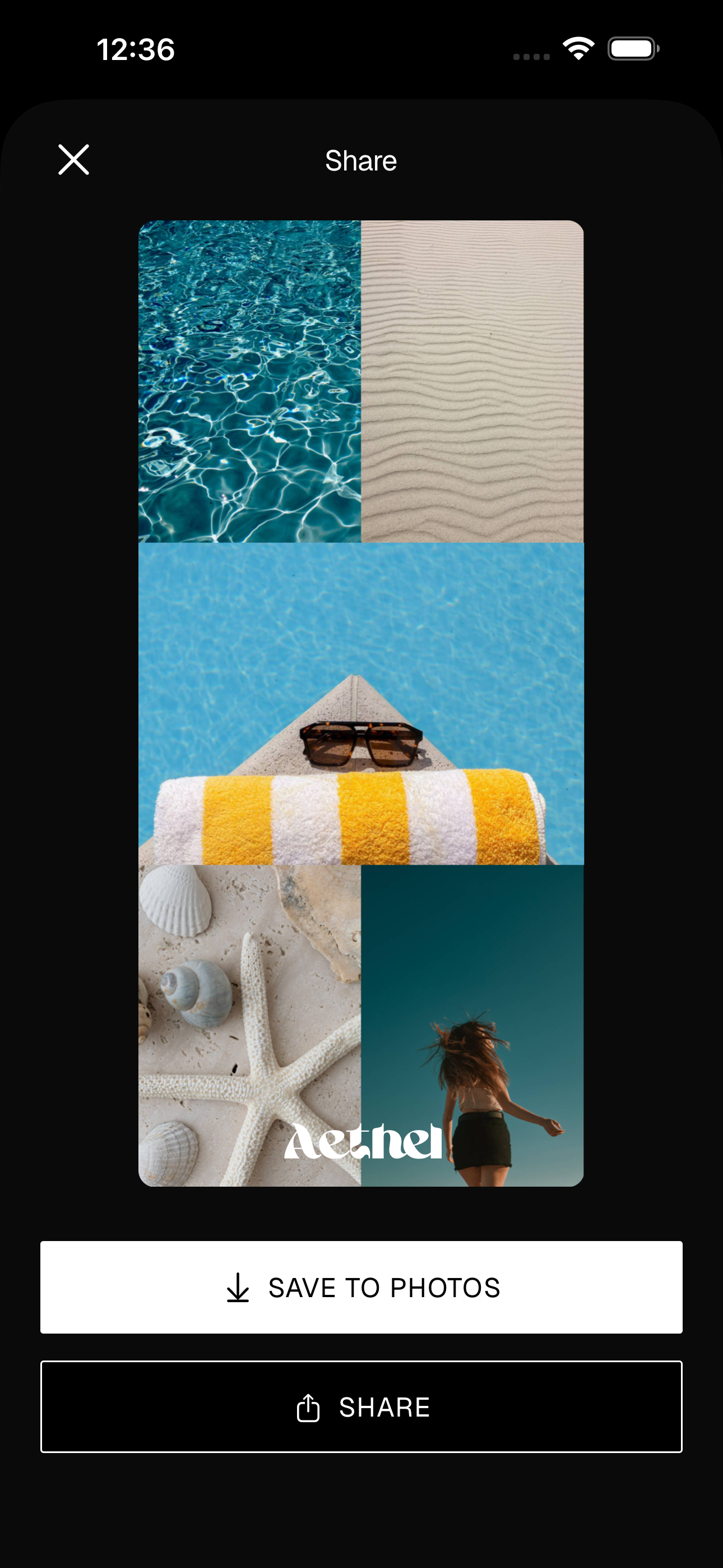
Give your board a name, then tap Share and 'Save to Photos'. From there, set it as your iPhone wallpaper or lock screen — sized perfectly, no cropping needed.
- 06
Add a home screen widget
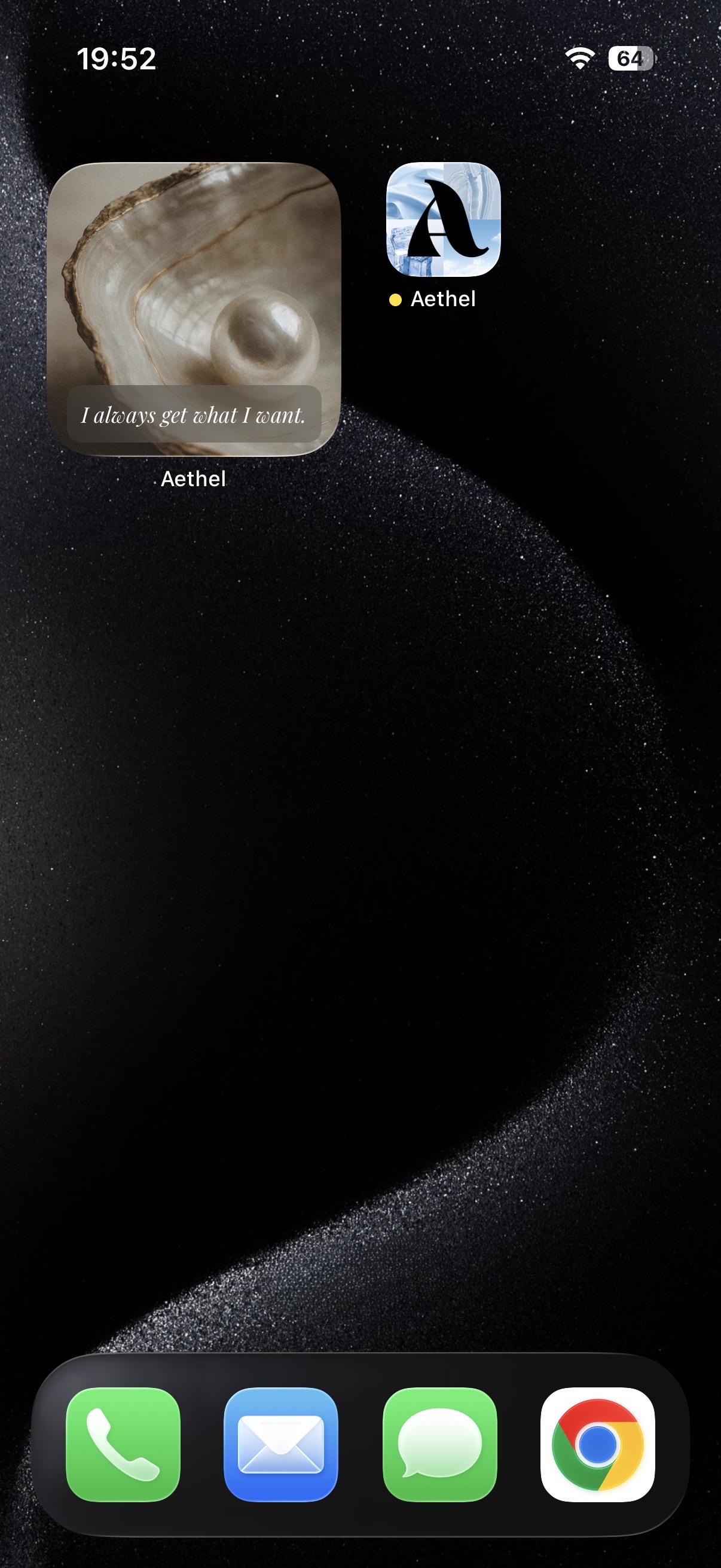
Turn your board into a home screen widget so it greets you every time you unlock your phone — a beautiful, glanceable reminder of the aesthetic you're building.
Tips for a better board
- Pick one feeling before you start — 'calm winter mornings' or 'bold and creative' — and let it guide every image you add. A mood board with a point of view always looks better than a random grid.
- Limit your palette to two or three colours. Cohesion, not quantity, is what makes a board feel designed.
- Leave a little breathing room. A few empty or single-colour cells make the images that matter stand out.
Ready to make yours?
Aethel is free to download and you can make your first mood board right away. Aethel Premium — unlimited boards, every template, and premium fonts — is a one-time purchase, not a subscription.