
Vision boards
How to Make a Digital Vision Board on Your iPhone

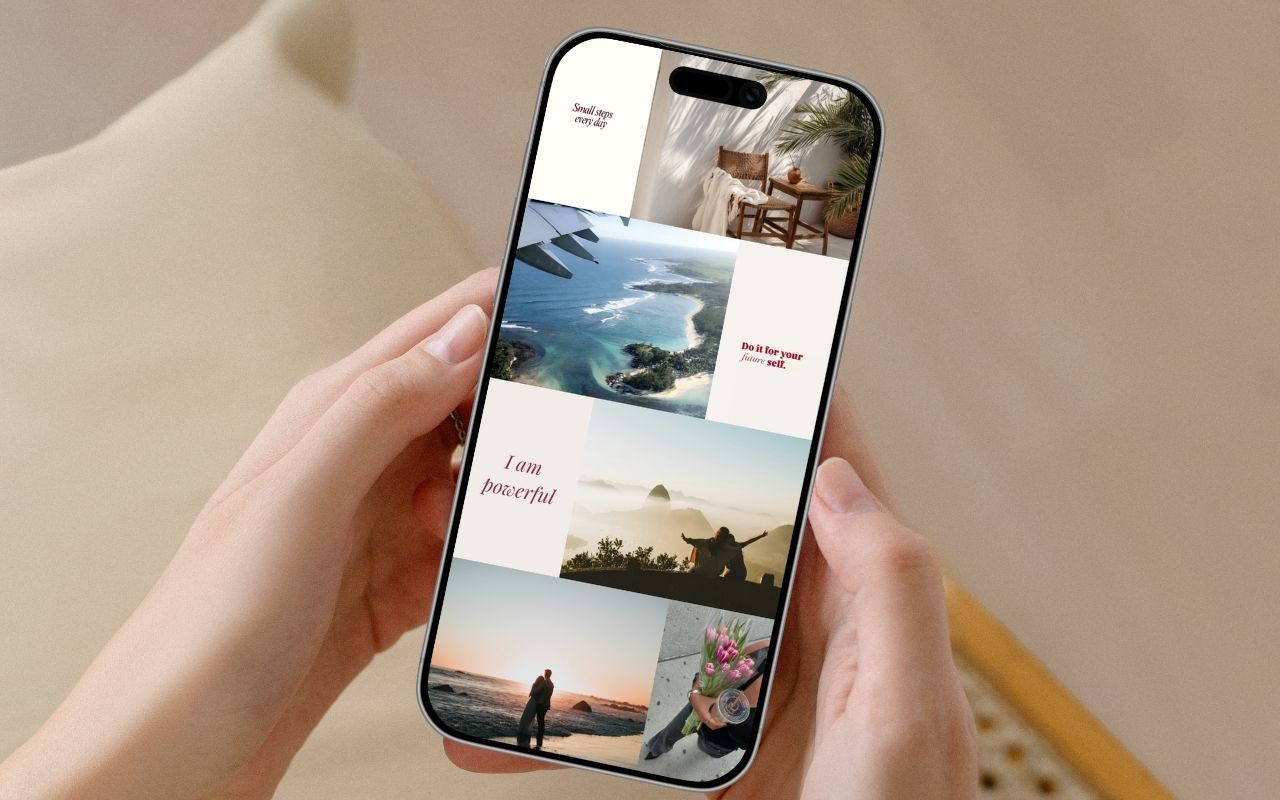
A vision board only works if you actually see it — and a poster rolled up in a drawer doesn't count. A digital vision board lives on the one thing you look at a hundred times a day: your iPhone. Here's how to make one in minutes, why it works, and how to keep your goals in front of you as your wallpaper or a home screen widget, using Aethel.
What is a digital vision board?
A vision board is a visual collage of the goals, feelings, and future you want to move toward. Where a mood board captures a look, a vision board captures a life. Traditionally it's a poster of magazine cut-outs pinned to a wall; a digital vision board lives on your phone instead — editable, private, and impossible to lose in a drawer. On iPhone you can set it as your lock screen, so the future you're building greets you every time you pick up your phone.
Why make a vision board?
A vision board is more than motivation-poster decor. Done well, it changes what you notice and act on.
You see your goals every day
On your lock screen, your vision board is impossible to ignore. Daily exposure keeps your goals top of mind without any extra effort.
Your brain starts spotting opportunities
There's real science to visualisation: when you picture your goals often, your mind gets better at recognising the openings that move you toward them.
Vague wishes become clear intentions
Choosing specific images forces you to define what you actually want — which is half the battle in reaching it.
It keeps you motivated on hard days
A glance at the life you're building is a quiet, reliable reminder of why you started.
It's always with you
No wall space, no printing, no clutter. Your vision travels in your pocket and updates the moment your goals evolve.
It's a calm daily ritual
Setting and revisiting your board is a small, grounding practice — a moment of intention in a noisy day.
When to make a vision board
A fresh start
New year, new season, or a birthday — any natural reset is the perfect moment to set your intentions.
A career change
Picture the role, the workspace, the pace of life you're moving toward, and keep it in view.
A big life transition
A move, a relationship, a new chapter — a vision board helps you steer it with intention.
Building a new habit
Anchor a new routine to a visual reminder you'll see every time you pick up your phone.
A manifestation practice
If you already journal or visualise, a vision board on your iPhone makes the practice daily and effortless.
Chasing a specific dream
A trip, a home, a milestone — give one clear goal a beautiful, constant presence.
Vision board ideas & examples
Need a starting point? Here are six themes people build vision boards around — pick the one that fits the chapter you're in.
Career leap
The role, the workspace, the pace of life you're working toward — pictured before it's real.
Dream home
Rooms, light, and details of the place you want to live, in the mood you want to feel there.
Health & energy
Movement, food, and rest that represent the way you want to feel in your body.
A year of travel
The places, streets, and horizons you want this year to hold.
Calm & balance
Slow mornings, soft light, and space — a reminder of the peace you're protecting.
Financial freedom
The security, choices, and freedom you're building, made visual and specific.
What you'll need
- An iPhone running iOS 18 or later
- The free Aethel app from the App Store
- A clear sense of a goal or two you want to focus on
- About ten minutes
Step by step
- 01
Download Aethel and open a new board
Download Aethel free from the App Store, open it, and start a fresh board. No sign-up needed — you can begin visualising right away.

- 02
Get clear on what you're manifesting
Before you add anything, name the goals this board is about — a career move, a home, a feeling, a place. The clearer your intention, the more focused and powerful your board becomes.
- 03
Pick a layout for your board
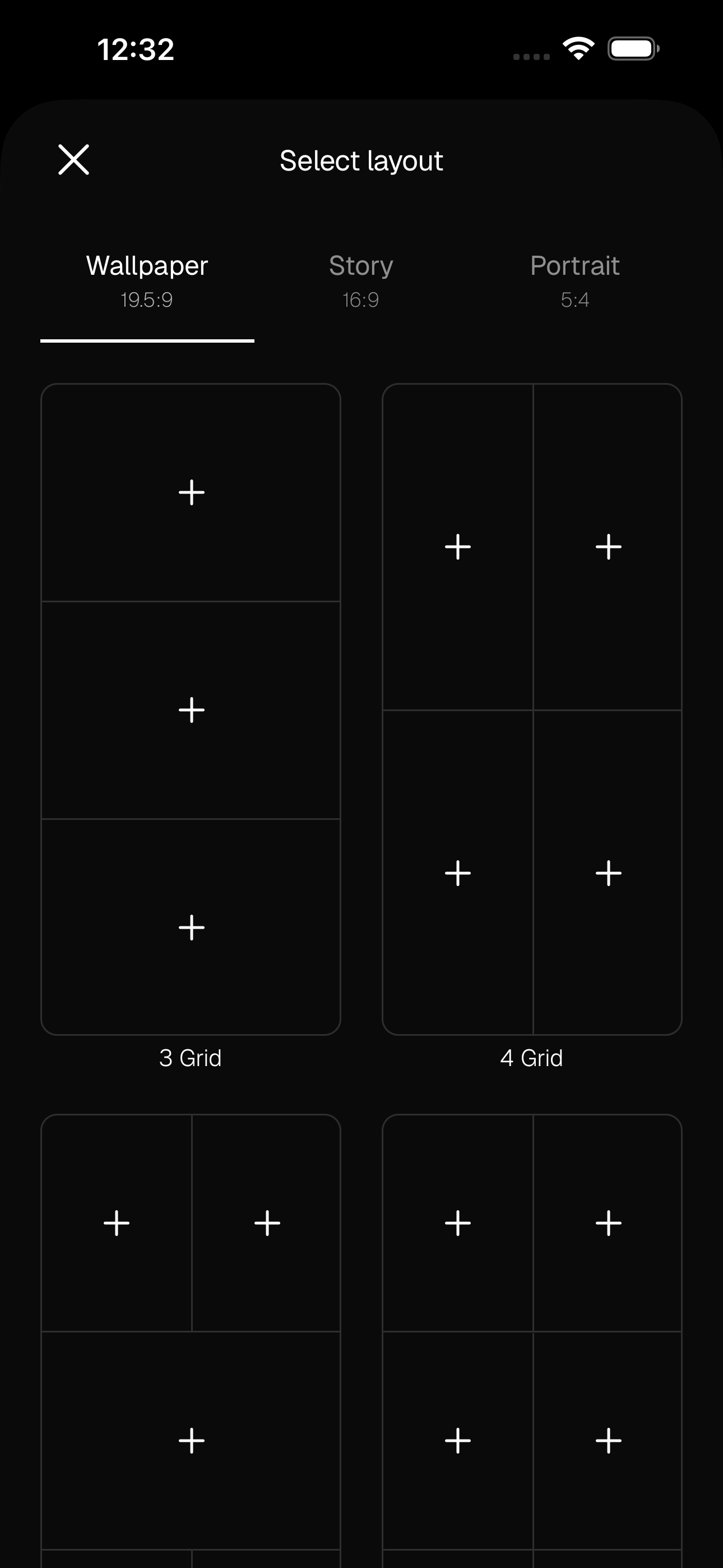
Create a new board and choose a format — Wallpaper (19.5:9), Story (16:9), or Portrait (5:4) — and a grid. The smart grids keep everything aligned automatically.
- 04
Or start from a template
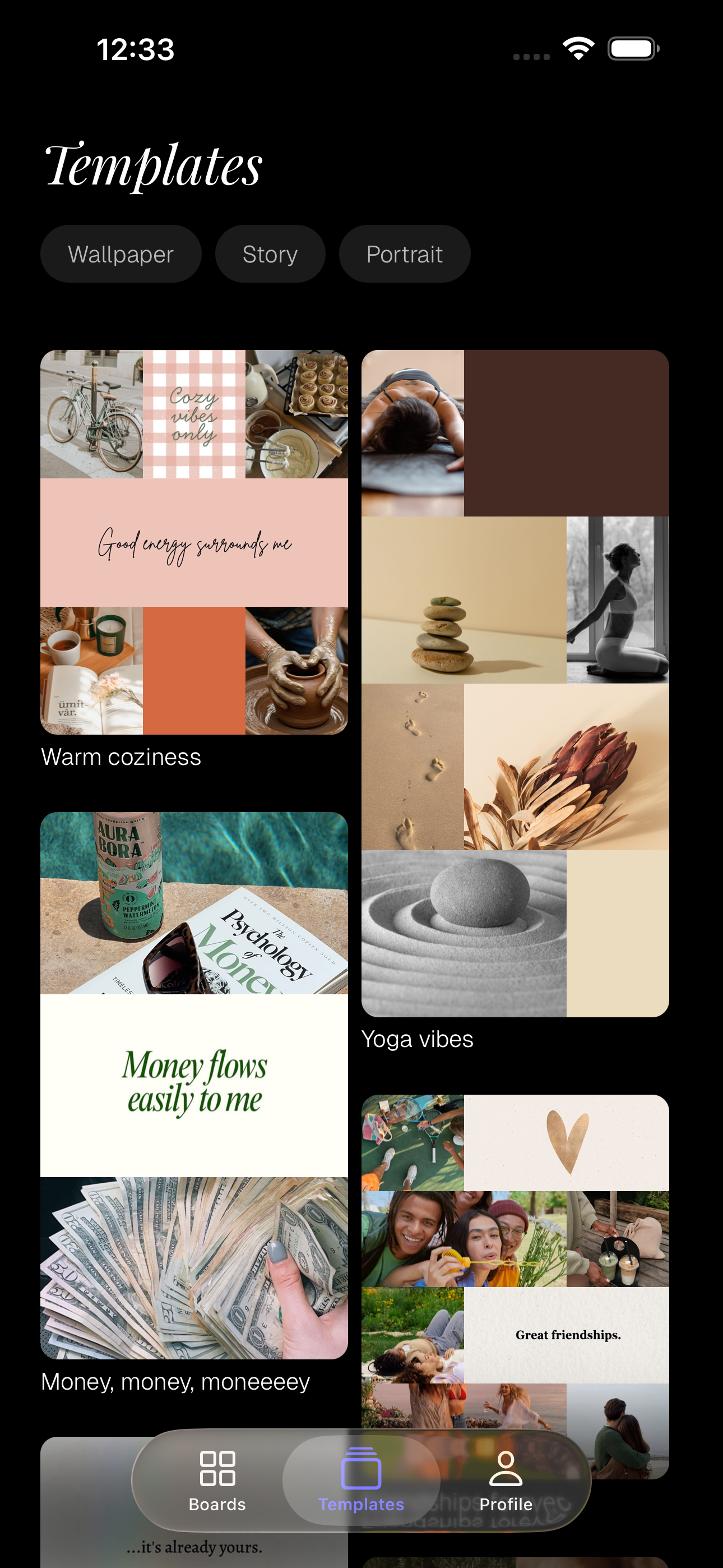
Short on time? Tap Templates and start from a ready-made goals board — like 'Money flows easily to me' — then swap in the images and words that fit your vision.
- 05
Add your images, words, and colours
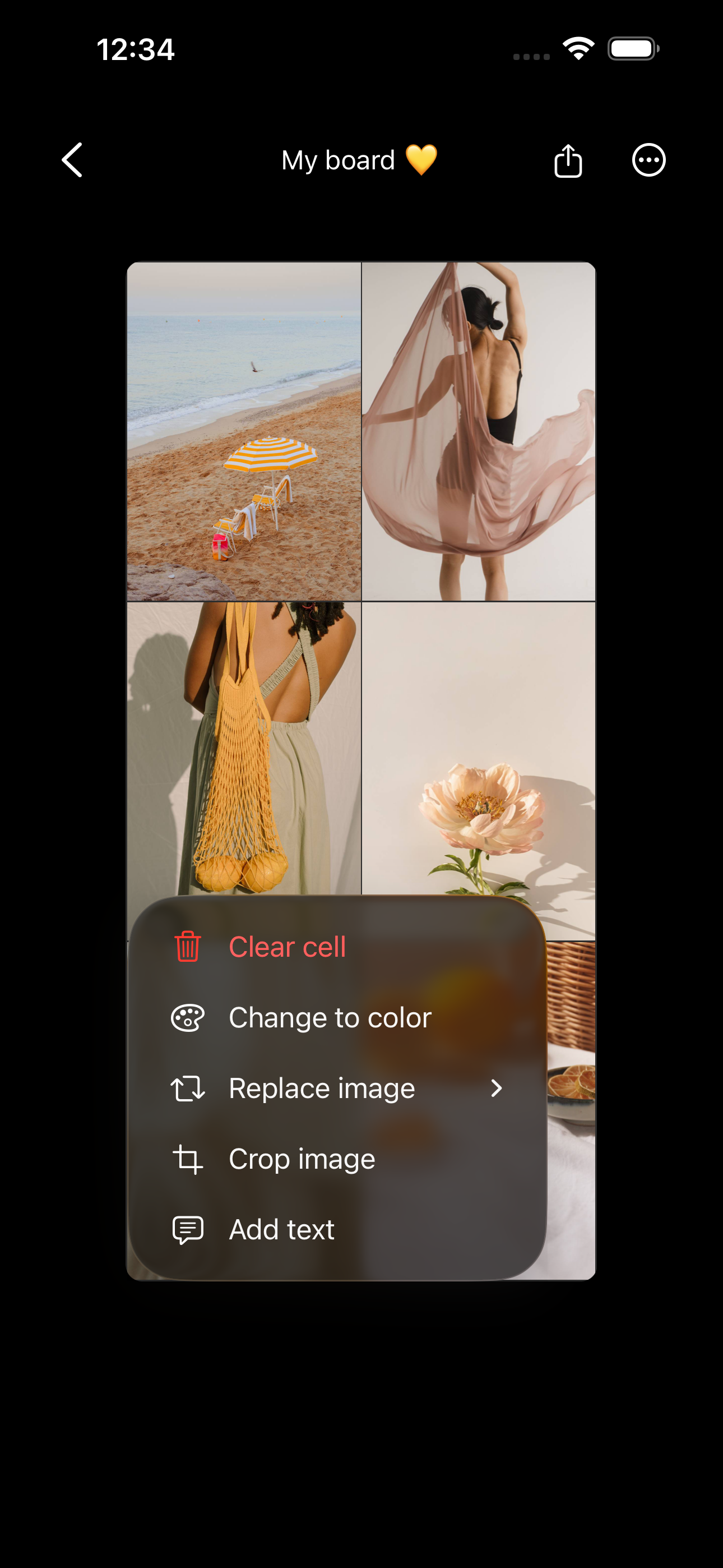
Tap a cell to add photos that represent your goals — from your camera roll, your own saved Pinterest pins, or the built-in Unsplash search. Tap any filled cell to 'Add text' for an affirmation or keyword, or 'Change to color' for a solid accent block. Words plus images make intentions stick. To rearrange, press and hold a filled cell and drag it: drop it on another image to swap the two, or on an empty cell to move it there.
- 06
Set it as your wallpaper or lock screen
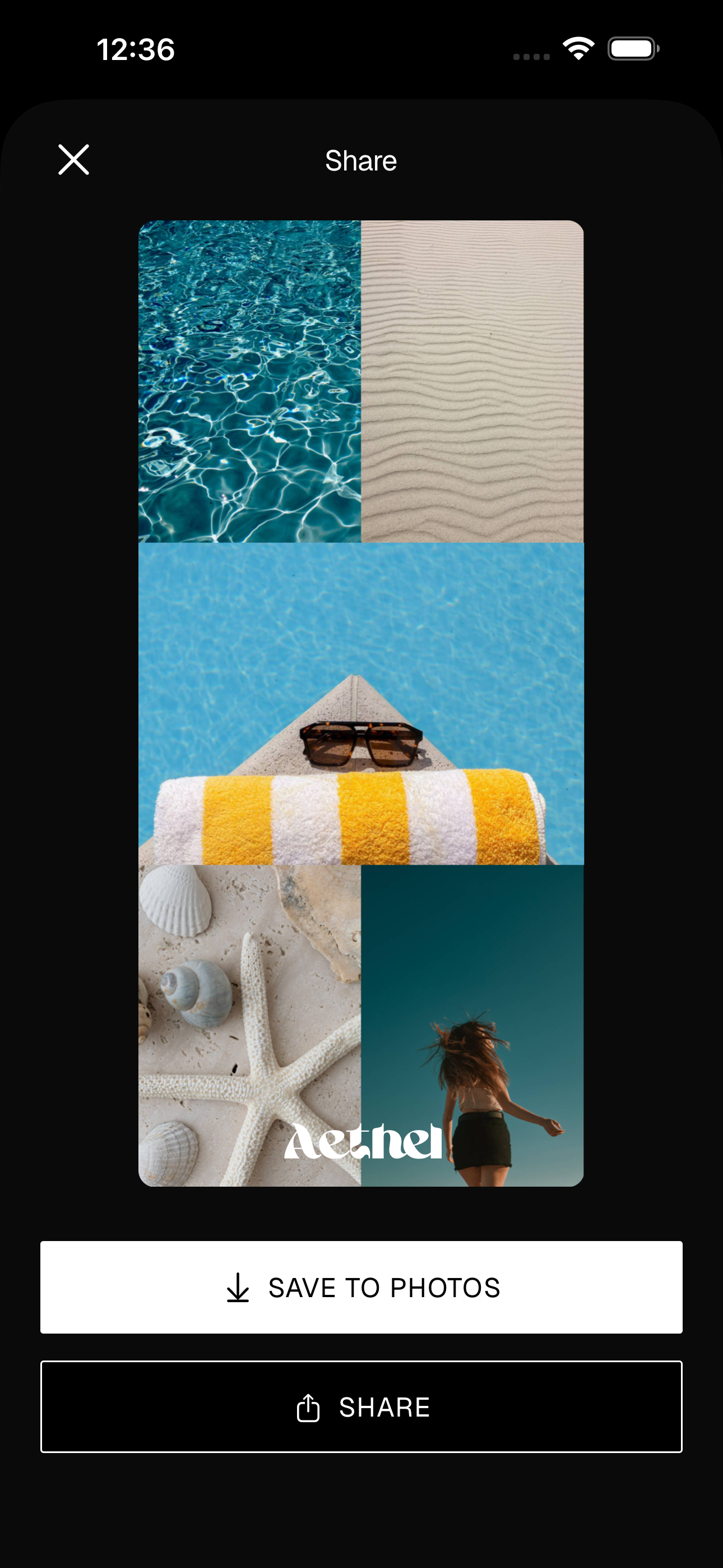
Give your board a name, then tap Share and 'Save to Photos'. Set it as your iPhone lock or home screen so your goals greet you every single time you pick up your phone — no willpower required.
- 07
Add a widget so your vision stays visible
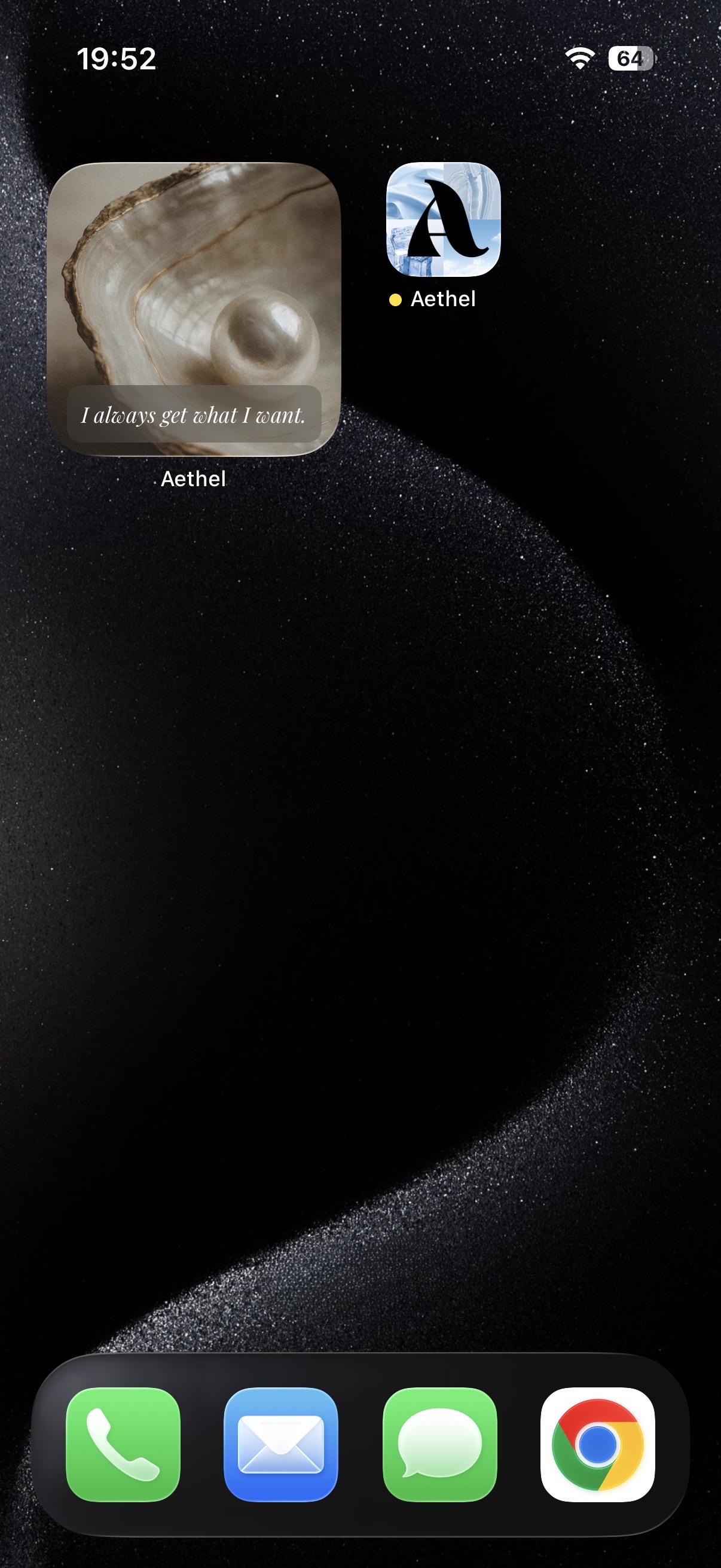
Turn your board into a home screen widget for a constant, glanceable reminder of who you're becoming — an affirmation you'll see all day. Update it any time your goals evolve.
Tips for a better board
- Make it present tense and specific. Images of the exact life you're building beat generic 'success' stock photos every time.
- Refresh it seasonally. Your vision grows — your board should too. Revisit it every few months and swap in what's true now.
- Set it as your lock screen, not just your home screen. You'll see it dozens of times a day without even trying.
Ready to make yours?
Aethel is free to download and you can build a vision board right away. Aethel Premium — unlimited boards, every template, and premium fonts — is a one-time purchase, not a subscription.